
If you’ve been researching mechanical keyboards, you’ve probably seen “N-key rollover” (NKRO) and “anti-ghosting” listed as features. They sound technical, and in many reviews they’re treated as a selling point but what do these terms actually mean? And do they really matter when you’re typing or gaming?
- Rollover refers to a keyboard's ability to handle multiple simultaneous key presses correctly, which is especially important for gaming, fast typing, and specialized uses like music software
- When typing slowly (one key at a time), rollover doesn't matter much, but it becomes crucial during activities requiring multiple simultaneous keypresses like gaming or stenography
- Poor rollover can result in missed inputs or "phantom" keystrokes when multiple keys are pressed together
- Keyboards are classified by how many simultaneous keys they can handle - from basic 2-key rollover (2KRO) up to N-key rollover (NKRO) which can process all keys at once
- While N-key rollover is marketed as a premium feature, most users will be fine with 6-key rollover (6KRO) for typical typing and gaming needs
In this guide, we’ll break down the idea of rollover, explain how ghosting happens, explore the differences between 6KRO and NKRO, and give you practical advice for choosing the right keyboard in 2026.
What Does Rollover Mean?
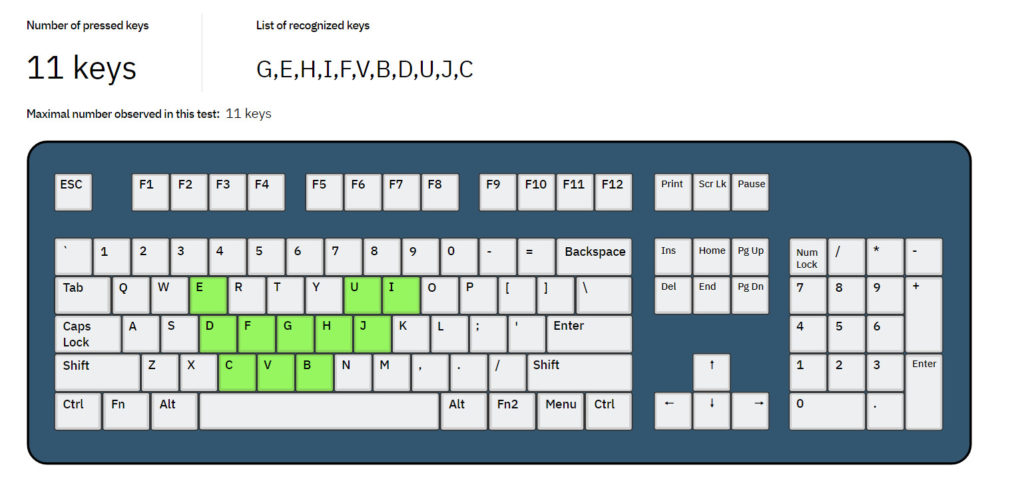
Rollover simply describes how well your keyboard can handle multiple keys pressed at the same time. When you’re typing slowly, this doesn’t matter — you’re pressing and releasing one key at a time. But if you’re touch-typing at speed, playing a fast-paced game, or using specialized software like stenography or musical emulators, it’s very common to hold down, press, and release many keys together.
If your keyboard struggles with this, you may experience missed inputs or strange “phantom” keystrokes. A keyboard with good rollover can handle all those inputs reliably, without errors.
- Typing slowly: usually one key at a time.
- Gaming: often holding down W, Shift, and Space simultaneously.
- Music/stenography: dozens of keys can be pressed together.
If your keyboard can reliably handle all those inputs, it has strong rollover.
How Keyboards Are Classified: 2KRO, 6KRO, and NKRO
Keyboards are often described using shorthand like 2KRO, 6KRO, or NKRO. This is the minimum number of keys they can correctly recognize at once.
- 2KRO → 2KRO keyboards can only handle two simultaneous key presses before errors occur. Many cheap membrane keyboards fall into this category.
- 6KRO → 6KRO keyboards can handle six regular keys at once, not including modifiers like Shift, Ctrl, or Alt. This is the standard for most mid- to high-end boards today.
- NKRO → NKRO keyboards can theoretically recognize every key on the keyboard being pressed simultaneously. This is the gold standard, though it’s usually overkill for everyday use.
💡 Important: Modifier keys (Shift, Ctrl, Alt, Win) usually don’t count toward the rollover limit.
Ghosting, Blocking, and Anti-Ghosting Explained
When a keyboard fails to handle multiple keys properly, two things can happen.
The first is ghosting, where the keyboard invents an extra keystroke that you didn’t press. For example, pressing A + S + D might also register F. This happens because of the way the keyboard’s internal matrix wiring shares circuits between keys.
The second is blocking (sometimes called jamming), where an extra key simply won’t register at all once the limit is reached.
To avoid ghosting, most modern keyboards advertise “anti-ghosting.” In practice, this usually means the keyboard blocks additional keys instead of producing phantom inputs. It’s more accurate to think of anti-ghosting as blocking, but the marketing term has stuck.
- Ghosting: an extra, unpressed key appears. Example: press A + S + D, and F shows up.
- Blocking (jamming): the keyboard ignores the extra key.
To prevent ghosting, most modern keyboards implement “anti-ghosting,” which is really just blocking. That’s why the term is often considered a marketing gimmick.
What Happens If You Exceed a Keyboard’s Rollover Limit?
Try holding W + A + Shift + Space + Q on a cheap office keyboard. Chances are, not all will register. On a proper gaming or mechanical keyboard, they will. This is why matrix design matters, diodes prevent phantom signals and enable NKRO.
How to Test Your Keyboard for NKRO and Ghosting
You can test rollover in under 2 minutes:
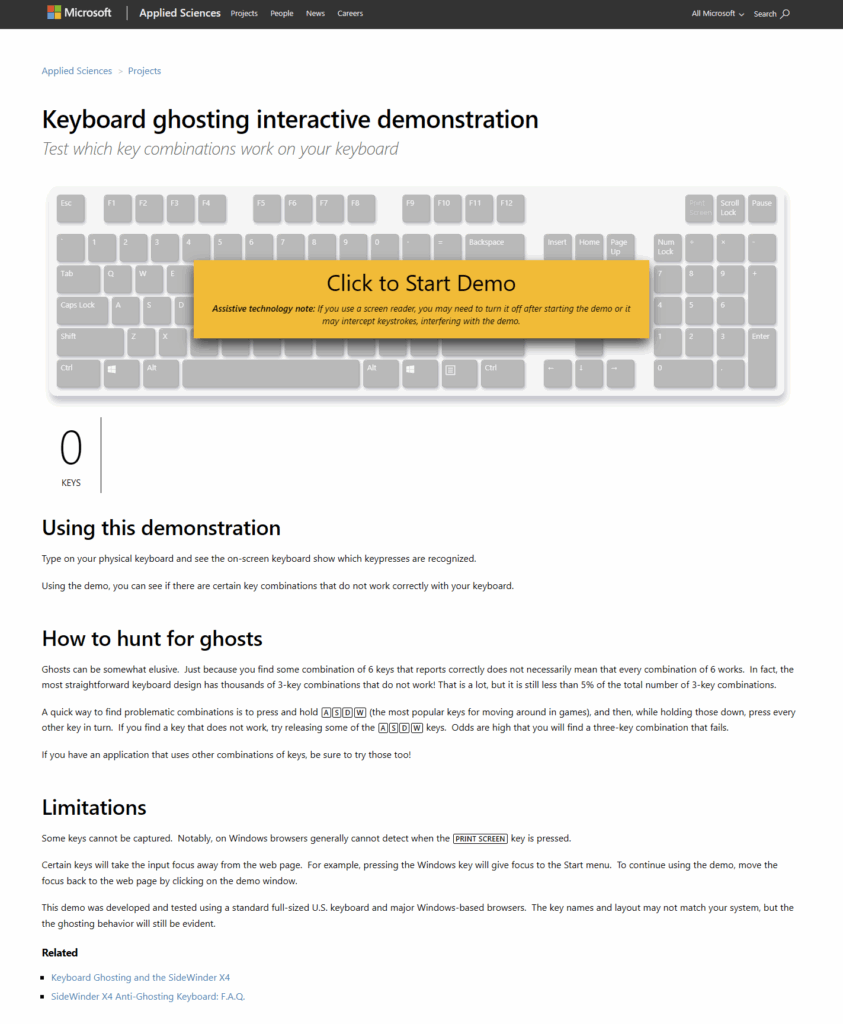
- Open the Microsoft Ghosting Demo.
- Press increasing numbers of keys simultaneously.
- Watch for missing or phantom inputs.
Other tools:
USB vs PS/2: Where NKRO Really Comes From
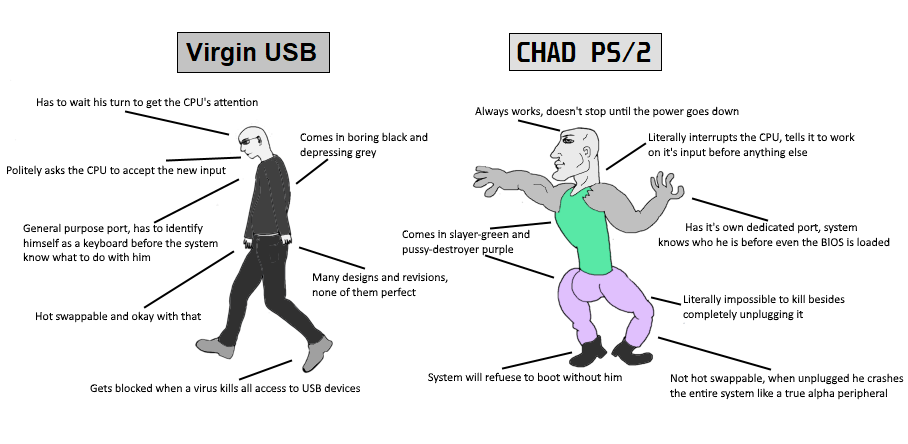
For years, PS/2 connections were recommended for full NKRO, while USB keyboards were thought to be limited to 6KRO. The truth is more nuanced.
- PS/2: Naturally supports NKRO because of the way it handles inputs.
- USB boot protocol: Limited to six regular keys + eight modifiers, which is why BIOS screens often don’t support NKRO.
- USB report protocol: Fully capable of NKRO, as long as the keyboard firmware and descriptors support it.
Modern mechanical keyboards increasingly offer NKRO over USB, sometimes with a toggle to switch between 6KRO and NKRO modes for compatibility. The old advice that “USB can’t do NKRO” is now outdated.
👉 Translation: USB keyboards can do NKRO, but only if the manufacturer implements it.
NKRO and Latency: Clearing Up a Common Myth
Big misconception: NKRO ≠ low latency.
A common misconception is that NKRO makes a keyboard “faster” or reduces input lag. In reality, rollover and latency are separate.
- Rollover = how many keys can be recognized at once.
- Latency = how quickly a key press is sent to the computer, affected by factors like polling rate, debounce, and firmware.
- Latency comes from scan rate, debouncing, and USB polling (125–1000Hz).
- NKRO only affects how many keys are recognized, not how fast.
That means a 6KRO keyboard with a high polling rate can feel more responsive than an NKRO keyboard with poor firmware.
So if you’re chasing speed for competitive gaming, focus on polling rate and firmware, not just NKRO.
Who Actually Needs NKRO?
For most people, 6KRO is enough. Even fast typists and competitive gamers rarely press more than six keys at once.
But NKRO becomes valuable in certain cases:
- Rhythm games (e.g., Osu!, Stepmania)
- Music emulation and MIDI controllers
- Stenography (such as with Plover software)
- Two players sharing one keyboard
If you fall into one of these categories, NKRO is worth seeking out. Otherwise, it’s nice to have, but not essential.
How to test if your keyboard has NKRO?
Some keyboards ship with NKRO disabled by default. Here’s how to unlock it:
- DIP switches / key combos (e.g., Fn + N toggles NKRO).
- PS/2 adapters (older boards like Filco Majestouch).
- Firmware (QMK/VIA) → Enable
NKRO_ENABLE = yes.
Best NKRO Keyboards in 2026
Here are some keyboards confirmed to support NKRO:
- Keychron Q1 Pro → Wired/Wireless NKRO
- Glorious GMMK Pro → QMK + NKRO
- Ducky One 3 → NKRO over USB
- Leopold FC660M → Compact NKRO board
(Tip: Always double-check with the manufacturer’s site — “anti-ghosting” ≠ NKRO.)
Wrapping Up
NKRO is one of those keyboard features that sounds essential but, for most users, is more of a nice-to-have. A solid 6KRO keyboard will be fine for 95% of gamers and typists, but if you play rhythm games, use stenography software, or want to ensure complete compatibility, NKRO is worth considering.
When shopping, don’t be fooled by “anti-ghosting” labels — test the keyboard yourself or check trusted reviews. And remember: NKRO doesn’t make your keyboard faster, just more reliable when many keys are pressed at once.
FAQs
Is 6KRO enough for gaming?
Yes. Almost all mainstream games never require more than 6 simultaneous keys.
Why does my anti-ghosting keyboard still miss keys?
Because “anti-ghosting” usually means blocking, not NKRO.
Why doesn’t NKRO work in BIOS?
BIOS uses USB boot protocol (6KRO limit).
Does NKRO reduce typing/input lag?
No. Latency is determined by scan rate, debounce, and polling rate.
One Response